Choosing a Universal Power Plug Adapter is not just about matching the shape of an outlet. The right option depends on where you are going, which devices you plan to use, and whether those devices support the local voltage. A phone charger may accept a wide voltage range, while a hair dryer may not. Check the small print on each device or its power supply before packing.
A useful adapter should fit the destination’s outlets securely and provide the connections your devices need. Look for clear information about supported plug types, grounding, USB ports, and maximum power. These details matter when charging a laptop beside a hotel bed or using a camera charger in an older room. An adapter changes the plug connection; it does not necessarily convert voltage. That distinction is easy to miss, even for experienced travelers. I still double-check device labels because a familiar plug shape can create false confidence.
There is no single adapter that suits every trip. A compact multi-region model may work well for several destinations, but it can be bulky or incompatible with particular outlets. A simple, destination-specific adapter may be the better choice for one country. This guide explains how to compare adapter types, check device requirements, and spot practical features before buying. Take a moment to verify the details. Small checks can prevent a frustrating travel-day surprise.
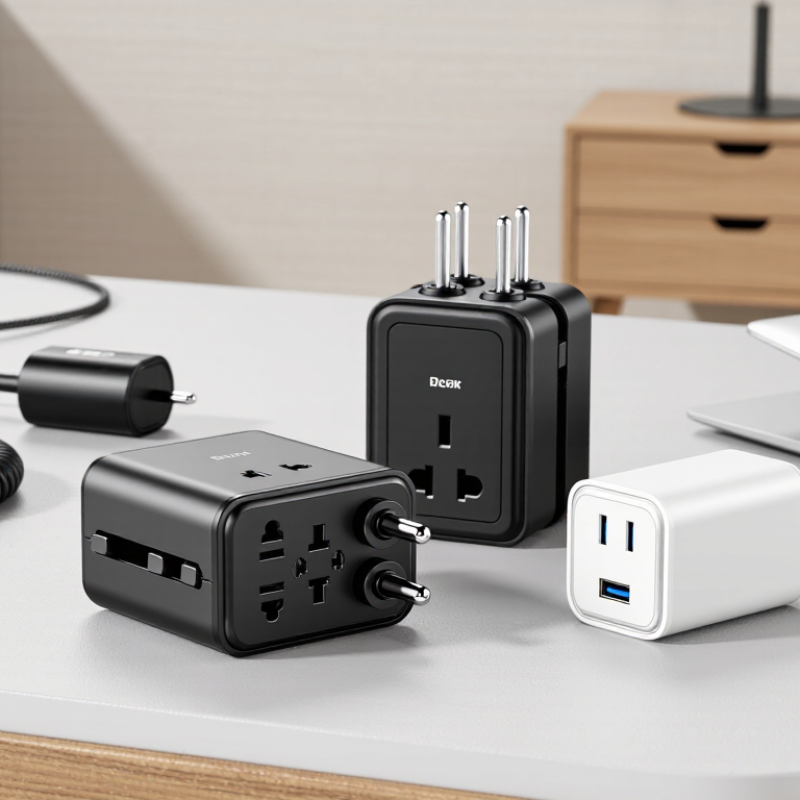
Your destination’s socket shape determines the adapter you need. Check the country’s plug type before packing, not after landing. Type C is common across much of Europe, while Type G is used in the United Kingdom. Australia and New Zealand commonly use Type I sockets. North America usually uses Types A and B. Some countries use more than one design, especially in older buildings.
I once packed a compact adapter that fitted the wall but did not accept my three-pin charger. That small mistake left my phone nearly empty by evening. Check your device plug, too. A grounded appliance needs an adapter with a matching grounding connection. Shavers, laptops, and hair dryers may require different socket compatibility.
Plug shape is only one part of safe travel charging. Confirm the destination’s voltage and frequency before connecting heat-producing appliances. An adapter changes the plug shape, but it usually does not convert voltage. A dual-voltage device should show an input range such as 100–240V. If the local voltage differs, a suitable converter may be necessary. Check official travel or electrical guidance, then compare it with your accommodation’s socket photos. I still recheck this information before every trip. Country lists can be incomplete, and hotel renovations sometimes change the available outlets.
A universal power plug adapter changes the plug shape, but it usually does not change voltage. That difference matters when traveling between countries with different electrical systems. Before packing, read the label on each device. Look for wording such as “Input: 100–240V” or a single voltage rating.
A device marked 100–240V generally needs only a suitable plug adapter. Many phone chargers, laptops, and camera chargers use this wider range.
A device marked only 110V or 120V may require a voltage converter in a 220–240V destination. The converter must support the device’s wattage.
Check the wattage label, not just the plug size. A converter with too little capacity can overheat, shut down, or damage the device.
Some appliances deserve extra caution. Hair dryers, heated tools, kettles, and small motors often consume high power.
Their labels can be confusing. I once focused on the adapter shape and overlooked the voltage line, which was an unnecessary mistake. The adapter felt solid, but that did not make the appliance electrically compatible.
Check the destination’s voltage and frequency, too. Most modern chargers tolerate frequency differences, but clocks, motors, and heating appliances may not.
If the label is missing or unreadable, do not guess. Ask the manufacturer or use another device.
A cheap adapter cannot correct an incorrect voltage. Safety comes before convenience.
Choosing a universal plug adapter starts with the device, not the destination. Check its input label, often printed near the charger pins. If it says “100–240 V,” it can usually handle common mains voltages with the right plug shape. A plug adapter changes the connection; it does not change voltage. A single-voltage appliance may need a suitable voltage converter, and high-power devices can exceed a converter’s rating.
Grounding matters too. A laptop power supply with a three-prong plug needs an adapter that preserves the earth connection. Some compact adapters accept three-prong plugs but do not provide grounding, so the extra hole alone proves nothing. Look for a clear grounding connection and a secure fit. If the device has a two-prong plug and its label matches the local voltage, a grounded adapter may not be necessary. Check the manual when unsure. It’s easy to miss.
Before travel, compare the adapter’s current or wattage rating with the device’s requirements. A hair dryer can draw far more power than a phone charger. Never force a plug, and stop using an adapter that feels loose, smells hot, or becomes unusually warm. I’d check each device separately; treating a whole bag of chargers as interchangeable is convenient, but not always sound.
A universal power plug adapter should match the destinations on your itinerary and the devices you actually carry. Check the plug shapes used at each stop; “universal” does not always mean every socket is supported. A model with a grounded connection is useful for compatible three-prong devices, while a compact body is easier to fit beside other plugs. Not glamorous, but useful.
Count the USB ports and check their total output, not just the number of sockets. A phone and earbuds may share modest power, but a laptop can need much more through USB-C. Look for clearly listed wattage and confirm it meets your device’s requirements.
An adapter changes plug shape; it does not convert voltage. Check the input range printed on each charger before plugging it in.
At a crowded hotel desk, foldable pins and a snug fit can prevent awkward tangles, though a loose socket is still a reason to stop using it. A small indicator light helps in dim rooms, but it is not proof that the adapter is safe or working correctly.
What Type of Universal Power Plug Adapter Do I Need?
A universal power plug adapter should match both your destination and your devices. Check the destination’s socket shape, voltage, frequency, and grounding system before buying. A plug adapter changes the plug shape. It usually does not convert voltage. A hair dryer rated only for 120 volts may be unsafe in a 230-volt outlet without a suitable converter.
Safety ratings deserve close attention. Look for certification from a recognized independent testing organization in the market where the adapter is sold. The housing should feel firm, with no loose pins, exposed wiring, or sharp plastic edges. Check its maximum current, USB output, fuse protection, and overload features. Grounded equipment needs an adapter that preserves the earth connection. I once packed a compact adapter that fitted the socket perfectly, but it could not support my grounded appliance. That mistake was avoidable.
Tips: Confirm compatibility with an official electrical-safety source or your accommodation provider. Test the adapter at home with a low-power device. Keep it dry, uncovered, and away from overloaded extension cords. Do not assume every universal adapter works everywhere. Some models fit many sockets but support only limited power. Recheck the label before each trip, because small markings are easy to miss.
Compare common destination plug types and nominal mains voltage before you travel.
A plug adapter changes the plug shape; it does not convert voltage. Check your destination’s outlet type and confirm your device’s input range supports the local voltage. Choose an adapter with safety approvals recognized in the country where it will be used. Values shown are common nominal mains specifications; local variations may apply.
Usually, no. It changes the plug shape, not the electrical voltage. Check your device label before connecting it.
Look for the input rating. “100–240V” usually needs only a suitable plug adapter. A device marked “110V” or “120V” may need a converter in a 220–240V location.
The converter must support the device’s wattage. High-power appliances can exceed its capacity. Overheating or shutdown may follow.
Hair dryers, heated tools, kettles, and small motors often use substantial power. Their labels need careful reading. Plug shape alone proves very little.
Yes, sometimes. Many modern chargers tolerate frequency differences. Clocks, motors, and heating appliances may not. Check the device instructions when uncertain.
It matters for devices with three-prong plugs. The adapter should preserve the earth connection. An extra hole does not always provide grounding.
Look for firm construction, overload protection, fuse protection, and clear current or wattage limits. Avoid loose pins, exposed wires, or sharp plastic edges.
Do not guess. Ask the manufacturer or use another device. I once focused on plug shape and missed voltage, which was avoidable.
Test it at home with a low-power device. Keep it dry and uncovered. Stop using it if it smells hot, feels loose, or becomes unusually warm.
No. Some fit many socket shapes but support limited power or lack grounding. Recheck the destination voltage, frequency, and socket system each time.
Choosing the right Universal Power Plug Adapter starts with identifying the plug type used at your destination and checking the voltage and frequency supported by your devices. An adapter changes the shape of the plug, but it does not necessarily convert electricity. If a device cannot operate within the destination’s voltage range, you may need a suitable voltage converter rather than an adapter alone.
Next, match the adapter’s power capacity and grounding design to your devices, especially those with higher power demands or grounded plugs. Consider practical features such as multiple outlets or USB ports, while making sure they suit your travel setup. Before buying, review the adapter’s safety ratings, supported plug types, and stated limits, and confirm that it is compatible with both your destination and the devices you plan to use.

Tech Adapter