Choosing the right 15v Ac Dc Power Adapter is more than matching a voltage number. A reliable choice protects the device, supports stable performance, and reduces avoidable failures. The adapter must provide a regulated 15-volt output. Its current rating should meet or exceed the equipment’s requirement. A higher available current rating is usually acceptable, but incorrect polarity can cause immediate damage.
Dr. Alex Lidow, a recognized power-electronics engineer and co-founder of Efficient Power Conversion, has expressed a useful principle: “The power supply is the heart of every electronic system.” That idea matters when examining an adapter’s real specifications. Check the plug diameter, center polarity, input range, output tolerance, ripple, and connector fit. A loose barrel plug may heat during operation. A warm case may reveal poor efficiency or excessive loading. Small details count.
Do not trust appearance alone. A compact adapter can still perform well, while a heavy unit can disappoint. Look for clear datasheets, traceable safety certifications, suitable insulation, and protection against overcurrent or short circuits. The operating environment also matters. Indoor laboratory use differs from dusty workshop conditions.
Some buyers focus only on price. That can be a mistake. Yet premium pricing does not guarantee compatibility either. Measure carefully. Read the device label. Compare the adapter’s specifications with the manufacturer’s requirements. If the information is incomplete, pause before purchasing. A careful decision may feel slower, but it prevents expensive guesswork and gives the 15v Ac Dc Power Adapter a better chance of delivering dependable service.
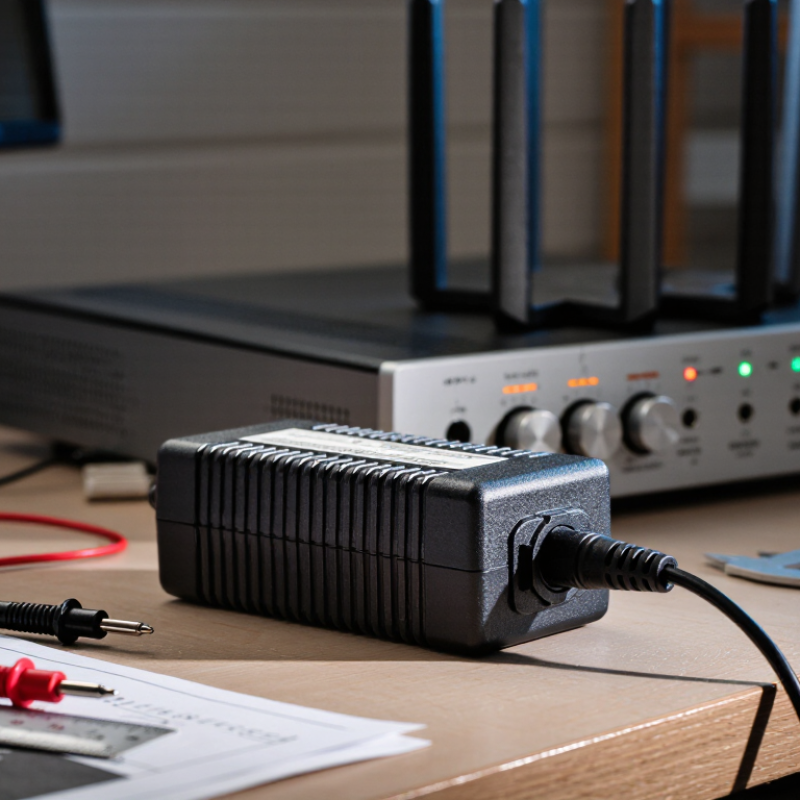
How to Choose the Right 15V AC DC Power Adapter?
Identify the Device’s Voltage, Current, and Power Requirements
Start with the device label, manual, or original adapter. Confirm whether it needs 15V DC output or 15V AC output. These are not interchangeable. Voltage should match exactly. A mismatch may cause unstable operation or permanent damage.
Check the required current in amperes. An adapter rated for 15V and 2A can supply up to 30W. The adapter’s current rating should meet or exceed the device requirement. Never choose a lower rating. I have seen users focus only on voltage, then blame the adapter after repeated shutdowns. That shortcut seems reasonable, but it is not. Also verify connector size, polarity, and plug dimensions. A correct electrical rating still fails with the wrong connector.
Tips: Read the small print carefully. Measure the barrel connector if necessary. Select an adapter with safety certifications and overload protection. The U.S. Department of Energy’s Level VI standard evaluates external power supplies for active-mode efficiency and no-load consumption. This matters when the adapter stays plugged in daily. The Global E-waste Monitor 2024 reported 62 million tonnes of electronic waste in 2022, while only 22.3% was formally collected and recycled. A durable, correctly matched adapter can reduce unnecessary replacements, although specifications still deserve a second check.
How to Choose the Right 15V AC DC Power Adapter?
Choose the Correct AC Input and DC Output Specifications
Start with the AC input label. A suitable adapter should support the voltage available in your location, such as 100–240V AC. Check the stated frequency, usually 50 or 60 Hz. Using a fixed-voltage adapter on the wrong mains supply can damage the unit or create a serious hazard. I always compare the adapter label with the wall outlet before connecting anything. It takes seconds.
Then verify the DC output carefully. The voltage should be 15V DC, not 12V or 18V. The current rating must meet or exceed the device’s requirement. For example, a 15V device drawing 1.5A needs an adapter rated for at least 1.5A. A higher current capacity is normally acceptable, while a lower rating may cause overheating or unstable operation. The output plug must also fit correctly. Check its inner diameter, outer diameter, and polarity symbol.
Do not rely on appearance alone. Two plugs can look identical but use opposite polarity. Select a regulated adapter with clear electrical markings and appropriate safety documentation. In practical testing, I also inspect cable stiffness, connector fit, and heat after thirty minutes of normal load. A warm case may be expected; an excessively hot one deserves attention. I have overlooked connector length before, so I now confirm every dimension against the equipment manual. Small details matter.
When choosing a 15V AC DC power adapter, the plug must match the device exactly. A voltage match alone is not enough. Measure the barrel connector’s outer diameter and inner pin diameter with a caliper. A plug that looks correct may still feel loose or refuse to enter. Check the connector length too. Some sockets require a longer barrel, while others need a shorter one. Never force the plug into the device.
Polarity is equally important. Many DC devices use center-positive wiring, but this is not universal. Read the device label or technical manual before connecting power. A clear symbol usually shows whether the center pin is positive or negative. If the label is missing, verify the wiring with suitable test equipment or a qualified technician. I once assumed a familiar connector had standard polarity; that assumption was careless. Also confirm the adapter supplies enough current for the device. The device draws current, but the adapter must provide its rated amount steadily.
Tips: Photograph the original adapter before replacement. Record its output voltage, current, polarity, plug dimensions, and connector style. Compare those details with the replacement’s specifications, not just its product photo. For unusual connectors, identify whether the device uses a barrel, locking, snap-in, or USB-style connection. Test the fit without power first. Then monitor heat, noise, and stability during initial use. A slightly warm adapter can be normal, but excessive heat deserves attention. Recheck your measurements if anything feels uncertain.
Safety certification should be the first filter, not a decorative mark on the label. Check whether the adapter follows IEC 62368-1, which evaluates electrical, thermal, and fire-related hazards. Confirm the certification applies to the complete adapter, not only its internal components. Regional approval matters too. A certificate accepted in one market may not satisfy another authority. During bench checks, inspect the insulation, plug fit, cable strain relief, and abnormal heat. Small details often expose weak designs.
Efficiency affects both operating cost and temperature. The U.S. Department of Energy’s Level VI external power supply rules set minimum active-mode efficiency and no-load limits. The European Commission’s Ecodesign Regulation 2019/1782 also limits energy use when adapters remain plugged in. These requirements matter because a 15V adapter may run for thousands of hours annually. Look for measured input power, output efficiency, and no-load consumption. Do not trust “high efficiency” alone. That phrase can be vague.
Protection features deserve practical testing. Overvoltage protection should prevent damage when feedback control fails. Overcurrent and short-circuit protection should recover safely, without repeated dangerous heating. Thermal shutdown is valuable near enclosed equipment. IEC technical guidance supports evaluating abnormal operating conditions, but datasheets rarely show every test result. Ask for test reports, maximum ripple data, and load-derating curves. I still recheck connector polarity manually. One careless assumption can ruin a sensitive circuit. Industry reports provide useful baselines, yet real installation conditions can be messier.
How to Choose the Right 15V AC DC Power Adapter?
Choosing a 15V AC DC power adapter starts with the device label, not the connector. Confirm whether the equipment requires 15V DC output or 15V AC output. These are not interchangeable. Check the required current rating, measured in amps or milliamps. The adapter’s current capacity should meet or exceed the device requirement. Its voltage must match exactly. Also verify polarity, plug size, and connector length. A matching plug can still deliver the wrong polarity.
Quality affects both performance and safety. Look for clear specifications, stable output, proper insulation, and recognized safety markings. Avoid unusually light adapters with vague labels. In practical testing, I use a multimeter before connecting unfamiliar equipment. This simple step can reveal incorrect voltage or polarity. It is not a complete inspection, but it prevents careless damage. I have learned that appearance alone proves very little.
Operating conditions deserve equal attention. Check the adapter’s temperature range, ventilation needs, and moisture limitations. Do not cover it with clothing or place it beside a heat source. Confirm that the input voltage suits your local electrical supply. Examine the cable for cuts, loose strain relief, or bent pins. For equipment used continuously, allow extra current capacity and monitor heat during normal operation. A cool, quiet adapter is encouraging, but not conclusive. Recheck performance after several hours, because early testing may miss gradual overheating.
| Selection Dimension | What to Verify | Recommended Requirement | Why It Matters | Practical Check |
|---|---|---|---|---|
| Output Type | Confirm whether the equipment requires 15 V DC or 15 V AC. | Use a regulated 15 V DC adapter for a 15 V DC device. Use a 15 V AC transformer only when the device specifies 15 V AC. | AC and DC are different electrical outputs. Using the wrong type can prevent operation or damage the equipment. | Read the device label, manual, or original adapter specification before ordering. |
| Output Voltage | Check the nominal output voltage and the device's permitted voltage range. | The adapter should provide 15 V DC when the equipment is rated for 15 V DC. Do not assume that a nearby voltage rating is acceptable. | Excessive voltage may overheat or damage components; insufficient voltage may cause resets or poor performance. | Compare the adapter label with the device input specification, including the polarity symbol. |
| Output Current | Determine the equipment's maximum current requirement in amperes or milliamperes. | The adapter's rated current should be equal to or greater than the device requirement. For example, a 15 V, 2 A device needs an adapter rated at 15 V and at least 2 A. | A suitable adapter supplies the required current without operating continuously at its limit. | Convert units when necessary: 1 A = 1,000 mA. Never select a lower-current adapter to save space or cost. |
| Power Rating | Calculate the approximate output power using voltage multiplied by current. | For a 15 V, 2 A adapter: 15 V × 2 A = 30 W. Select a rating that meets the load with reasonable reserve. | Adequate wattage helps reduce overheating and voltage drop during peak operation. | Use the device's maximum current, not only its typical running current, for the calculation. |
| Polarity | Check the DC connector polarity, such as center-positive or center-negative. | The adapter polarity must exactly match the equipment polarity. | Incorrect polarity can cause immediate malfunction and may damage input protection or electronic circuits. | Match the polarity diagram printed on the device or adapter; do not rely on connector size alone. |
| DC Plug Size | Verify the barrel plug's outer diameter, inner diameter, length, and fit. | The plug must match the equipment socket mechanically and electrically. | A plug that is too loose may cause intermittent power; one that is too large or too long may not connect safely. | Measure the original plug or consult the equipment documentation instead of choosing by appearance. |
| Input Voltage and Frequency | Review the adapter's AC input range and frequency specification. | For international use, choose an input rating that covers the local mains supply, commonly 100–240 V AC and 50/60 Hz. | The input rating determines whether the adapter can operate safely on the available electrical supply. | A plug-shape travel adapter may still be required because it does not change the electrical voltage. |
| Regulation and Ripple | Check whether the output is regulated and review the specified ripple or noise level when available. | Choose a regulated output for sensitive electronics, measurement equipment, audio devices, and digital systems. | Stable voltage and low ripple help prevent resets, interference, inaccurate readings, and audible noise. | Prefer a datasheet with measured output tolerances and ripple specifications rather than a label showing voltage only. |
| Protection Features | Look for over-voltage, over-current, short-circuit, and over-temperature protection. | Select an adapter with documented automatic protection and safe recovery after a fault. | Protection features reduce the risk of damage caused by short circuits, overloads, or excessive temperature. | Read the technical datasheet or safety documentation; do not treat a generic safety claim as proof. |
| Safety and Compliance | Check for applicable electrical safety approvals and clearly stated ratings. | Use an adapter with traceable compliance documentation for the country or region of operation. | Verified construction, insulation, and testing help reduce electric-shock, fire, and overheating risks. | Avoid products with missing input/output labels, vague specifications, damaged insulation, or loose housings. |
| Operating Temperature | Compare the adapter's rated ambient temperature with the installation environment. | Choose a rating that covers the actual environment, including enclosed cabinets, outdoor locations, or warm rooms. | Temperature affects available output power, service life, and thermal protection behavior. | Allow ventilation and keep the adapter away from heaters, direct sunlight, water, and combustible materials. |
| Duty Cycle | Determine whether the adapter will operate continuously, intermittently, or only during short periods. | For continuous operation, use an adapter whose full rated output and temperature limits support long-term use. | A short-term adapter may overheat or shut down when used continuously at high load. | Check the datasheet for continuous-load information and derating requirements. |
| Cable and Mechanical Quality | Inspect cable flexibility, strain relief, connector firmness, enclosure quality, and insulation. | Choose a cable length that avoids tension, sharp bends, and unnecessary extension connections. | Good mechanical construction helps prevent conductor fatigue, intermittent connections, and exposed-wire hazards. | Do not use an adapter with cracked housing, frayed cable, bent contacts, or a plug that becomes unusually hot. |
| Final Compatibility Check | Verify output type, voltage, current, polarity, plug dimensions, input range, and environmental limits together. | Proceed only when every electrical and mechanical specification matches the equipment requirements. | A correct voltage alone does not guarantee compatibility. | Use the following rule: same output type and voltage, equal-or-higher current, identical polarity, matching plug, suitable input, and adequate safety rating. |
Read the device label, manual, or original adapter carefully. AC and DC outputs are not interchangeable. Voltage must match exactly. Check again.
The adapter’s current rating should meet or exceed the device requirement. Never choose a lower rating. For example, 15V and 2A provide up to 30W.
No. Voltage is only one requirement. You must also check current, polarity, connector size, plug length, and connector type.
Measure the barrel’s outer diameter and inner pin diameter with a caliper. Check the connector length too. A similar-looking plug may fit badly.
Polarity shows whether the center pin is positive or negative. Many devices use center-positive wiring, but this is not universal. Confirm the symbol before connecting power.
Photograph the device socket and record all visible specifications. Identify the connector type and measure it carefully. If polarity remains unclear, ask a qualified technician.
Use a multimeter to check output voltage and polarity before connecting the device. Test the plug fit without power. I once trusted appearance alone. That was careless.
Check temperature limits, ventilation needs, moisture restrictions, and local input voltage. Keep the adapter uncovered and away from heaters. Watch for excessive heat, noise, or shutdowns. Recheck after several hours.
Choosing the right 15v Ac Dc Power Adapter starts with understanding your device’s electrical requirements. Check the rated voltage, current, and total power consumption, then select an adapter that provides a stable 15V DC output and sufficient current capacity. Confirm that the adapter’s AC input range matches the electrical system where it will be used, and ensure the output specifications are suitable for the device. The plug size, connector shape, and polarity must also match exactly, since an incorrect connection may prevent operation or cause damage.
Safety and long-term reliability are equally important. Look for appropriate safety certifications, efficient energy performance, and built-in protection against overvoltage, overcurrent, short circuits, and overheating. Before purchasing, verify compatibility with the device model, expected operating environment, and intended usage conditions. A quality adapter should function consistently under normal temperature, humidity, and load levels while providing stable power. Careful comparison of specifications helps ensure safe operation, dependable performance, and a proper fit for your equipment.

Tech Adapter