A 5V, 2A adapter delivers up to 10 watts, but that number alone does not guarantee a safe match. The Ac Dc Power Adapter 5v 2a must also suit the device’s input voltage, connector size, polarity, and expected current. A mismatch can mean a loose plug, unstable operation, or no power at all. Small details matter.
Professional guidance helps separate measurable performance from marketing claims. The U.S. Department of Energy’s External Power Supplies test procedure explains how active-mode efficiency and no-load power are measured. ENERGY STAR criteria also evaluate these efficiency characteristics. For USB-powered products, USB-IF specifications provide useful context, but a USB connector does not prove that every adapter supports the same charging protocol. Check the device label and manual before choosing. Then compare the adapter’s output rating, safety protections, and test documentation. Look for overcurrent, overvoltage, and short-circuit protection, plus clear input-range markings. A warm case can be normal under load; excessive heat or a persistent electrical odor is not. That sounds basic. It is easy to miss when shopping quickly.
The sections below explain how to verify compatibility, assess build quality, and compare efficiency claims. They also cover common selection mistakes. One honest limitation: product labels do not reveal every detail of internal design. When specifications are unclear, choose a reputable supplier and request supporting test information rather than relying on appearance alone.
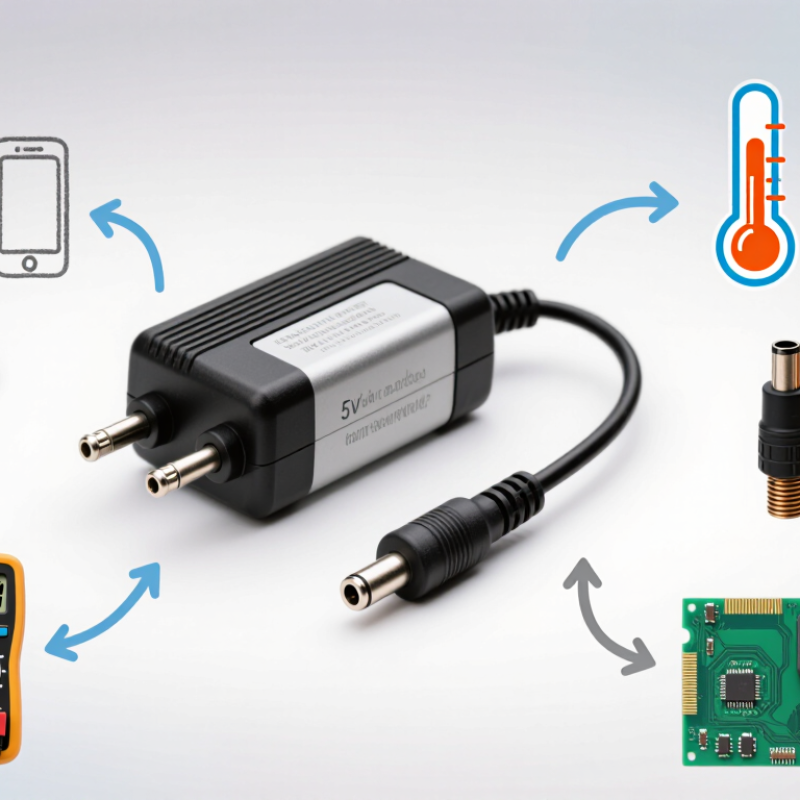
Understanding the 5V 2A AC-DC Adapter Rating starts with two numbers: 5 volts is the output voltage, and 2 amperes is the maximum rated current. Together, they describe a 10-watt supply. The adapter does not push 2A into every device; the device draws the current it needs. Voltage, connector size, polarity, and input range must also match. The label can feel reassuring, but it is only half the check.
USB-IF’s USB 2.0 specification sets 500 mA as the limit for a configured high-power device on a standard data port. That figure is not a universal limit for dedicated adapters, but it shows why port type matters. The U.S. Department of Energy’s external power supply efficiency requirements assess active-mode efficiency and no-load power, not just the printed output rating. A compact adapter may deliver the right 10 watts and still vary in efficiency or heat under load. Check the product’s test documentation where available.
Tips: Confirm that your device specifies 5V and needs no more than 2A. Match the connector and polarity, then leave some ventilation around the adapter. If it becomes unusually hot, makes noise, or causes unstable operation, stop using it and recheck compatibility. I would not rely on the plug fitting alone.
A 5V 2A adapter is suitable only when the device requires 5 volts of direct current. Check the device label or manual before connecting anything. Look for “DC 5V” and note the required current. The adapter’s 2A rating is its maximum supply, not the amount it forces into the device. A device rated for 1A can usually use a compatible 2A adapter. That distinction matters. Do not guess.
The plug must fit securely, but a snug fit does not prove electrical compatibility. Compare the connector size and polarity; some barrel plugs have positive centers, while others do not. Small details matter. Confirm that the adapter provides regulated DC output, especially for sensitive electronics. If a device needs more than 2A, a 5V 2A adapter may cause resets, dim displays, or excess heat.
I have found that people often check voltage and forget polarity; it is an easy mistake to make. Inspect the cable and adapter for damage, and stop using them if either becomes unusually hot. When the device label is unclear, consult its documentation rather than testing random adapters.
A 5V 2A adapter can have the right electrical rating and still fail to fit. Check the connector before ordering. For a barrel plug, compare its outer diameter, inner diameter, and barrel length with the device’s socket. A plug that looks close may wobble, make intermittent contact, or refuse to seat fully. A digital caliper helps; measure gently, and do not force a plug into the jack. Small differences matter.
Then check polarity. Many barrel connectors use center-positive wiring, but never rely on that convention alone. Look for the polarity diagram on the device label or in its manual, and match it to the adapter’s output symbol. The symbols show whether the center contact is positive or negative. Check carefully. Reversed polarity can damage equipment. If the markings are missing or unclear, pause and ask a qualified technician rather than guessing. A multimeter can help verify an adapter’s output, but only if you know how to use it safely. I’ve found that connector measurements can be awkward, especially with recessed sockets; it’s easy to misread them. Confirm the dimensions and polarity from more than one reliable source before connecting power.
How to Choose an AC DC Power Adapter 5V 2A?
Reviewing Safety Certifications and Electrical Protection
A 5V, 2A adapter can supply up to 10 watts, but the label alone cannot confirm it is safe. Check that its output voltage, connector, and polarity match your device. A device normally draws the current it needs; the adapter’s 2A rating is its maximum capacity. That distinction is easy to miss. Look for a recognized safety certification, then verify the exact model in the certifier’s online directory. A logo on a label is not proof by itself. IEC 62368-1 provides a widely used safety framework for audio, video, and information technology equipment, but certification requirements vary by market.
Protection features matter in daily use. Overcurrent and short-circuit protection can limit damage during faults, while overtemperature protection helps when an adapter sits behind furniture or feels unusually warm. NFPA’s Electrical Fires report estimated an annual average of 46,700 U.S. home fires involving electrical failure or malfunction from 2015 to 2019. It also estimated 390 deaths and $1.5 billion in direct property damage each year. These figures cover many kinds of electrical equipment, not adapters alone. A certified adapter reduces avoidable risks, but it cannot make damaged cables or poor ventilation harmless. I would still check for a loose plug, cracked casing, or persistent heat. Not a guarantee.
| Check | What to Look For | Practical Guidance | Safety Note |
|---|---|---|---|
| Rated output | 5 V DC and up to 2 A, equivalent to a maximum nominal output of 10 W. | Confirm that the device requires 5 V DC and no more than 2 A. A compatible supply rated for more than 2 A can generally provide the required current; the device draws the current it needs. | Voltage, polarity, connector, and any required charging protocol must also match. A matching current rating alone does not establish compatibility. |
| Input rating | The AC input voltage and frequency printed on the adapter label. | Check that the stated input range is suitable for the local mains supply. Do not assume every adapter supports worldwide input. | Use the adapter only within its marked input rating and with an appropriate mains plug or cord. |
| Electrical safety standard | A safety standard applicable to the product type and destination market, such as IEC 62368-1 for many audio/video and information-technology products. | Check the exact model and its documentation. Applicable national or regional versions and requirements may differ. | A standard reference on a label is not, by itself, proof that a product has been independently certified. |
| Certification and conformity | Market-appropriate certification or conformity documentation, where required. | Verify the model and certificate or declaration through the relevant certification body or official records when available. | CE is a European conformity marking, not a certification issued by a single EU certification body. Requirements vary by market. |
| Overcurrent protection | Documentation describing output overcurrent protection, if provided. | This protection can limit or shut down output current during an overload; the method and reset behavior vary by design. | Do not assume that every 5 V, 2 A adapter includes the same protection or that protection replaces correct device matching. |
| Overvoltage protection | Documentation describing how the output is protected against excessive voltage, if provided. | Look for the manufacturer’s stated protection behavior and relevant test or safety documentation. | Protection thresholds and response can differ. Avoid relying on an unspecified feature or an unverified label claim. |
| Short-circuit protection | Information on output behavior during a short circuit, if provided. | A design may limit current, shut down, or recover after the fault is removed; consult its documentation. | Do not intentionally short the output to test it. Replace an adapter with damaged cables, plugs, or casing. |
| Temperature and construction | Clear product markings, intact insulation, a secure enclosure, and instructions for ventilation and use. | Choose an adapter intended for the operating environment and keep ventilation openings unobstructed. | Stop using it if it has a damaged enclosure, exposed conductors, unusual odor, or excessive heating. |
| Efficiency and materials | Efficiency or standby-power information and applicable environmental compliance documents, when relevant to the market. | Compare documented performance for the same input conditions and output load. | Energy-efficiency requirements and restricted-substance rules are separate from electrical safety certification. |
A 5V 2A adapter can supply up to 2 amps, but the device should draw only what it needs. Check the device label or manual for its voltage, current, connector size, and polarity. A plug that fits is not always electrically compatible. If the device needs more than 2 amps, choose a properly rated supply instead of hoping the adapter will cope.
Consider where the adapter will sit. A warm cabinet with little airflow can shorten its service life, so leave space around the casing and keep it away from heaters. Heat matters. In a workshop or kitchen, dust, splashes, and accidental knocks may also affect reliability. Do not assume an ordinary adapter is water-resistant; check its enclosure rating and keep it dry unless the maker specifies otherwise. Outdoors, temperature changes and moisture need extra attention.
Think about the actual setup, too. A long, thin cable can cause voltage to drop before power reaches the device. Use the cable type and length recommended for the load, and avoid coiling it tightly during operation. For equipment that runs for hours, check the adapter after it has warmed up. A brief bench test helps, but it cannot reproduce every room or workload. Real setups are rarely tidy, and that detail is easy to overlook.
Check the device label or manual for “DC 5V” and its current requirement. Don’t guess.
No. The 2A rating is the adapter’s maximum supply. A device rated for 1A can usually use a compatible 2A adapter.
Choose a supply rated for the device’s needs. An undersized adapter may cause resets, dim displays, or excess heat.
No. Check the connector’s outer and inner diameters, length, and polarity. A plug can fit loosely and make intermittent contact.
Match the polarity diagram on the device with the adapter’s output symbol. Center-positive is common, but don’t rely on that alone.
Pause and check the documentation or ask a qualified technician. I’ve misread recessed sockets before; measuring them is awkward.
Leave space around it, especially in a warm cabinet. Keep it away from heaters, splashes, and dust where possible.
Yes. A long, thin cable can cause voltage drop. Use a suitable cable, and check the adapter after it warms up. A short test isn’t everything.
Choosing an Ac Dc Power Adapter 5v 2a starts with understanding its rating: it supplies 5 volts of direct current and can provide up to 2 amps. Confirm that your device requires a 5V input and that its current demand does not exceed the adapter’s capacity. A device may draw less current than the adapter can provide, but the voltage must match the device’s specifications.
Before connecting the adapter, check that the plug fits securely and that its polarity matches the device. Review the adapter’s safety certifications and look for protections such as overcurrent, overvoltage, and short-circuit protection. Finally, consider where and how it will be used, including ventilation, indoor or outdoor conditions, and expected operating time. Matching these details helps you choose an adapter that is compatible, dependable, and suitable for your intended setup.

Tech Adapter